When only one team streams a game, the entire opposing community misses out. We designed a way for teams to share their live stream -- doubling video access without doubling the work.
GameChanger lets youth sports teams live stream their games to families who can't be there. But when only one team sets up streaming, the opposing team's community gets nothing -- no video, no clips, no way to watch their kid play.
To get video, the opposing team would have to set up their own separate stream of the same game. That meant asking two different people to do the same job, pointing two phones at the same field. It was redundant, wasteful, and it wasn't happening.
1.5 million additional games would have been streamed in 2025 if live stream sharing existed. That's 1.5 million games worth of families who couldn't watch their kids play. In a survey, 100% of non-streaming team staff said they wanted access to the opposing team's video.
Analyzed streaming data to quantify the gap: 1.5M games unstreamed. Surveyed team staff -- 100% of non-streaming teams said they'd want the opposing team's video. The demand was unanimous.
The biggest design challenge wasn't sharing -- it was trust. Coaches needed to feel in control of who sees their stream. We designed a permission model with three tiers: Anyone, Confirmed Members Only, and Don't Share.
Integrated sharing controls into the existing Video Settings flow. Added "Share with opponent" as a new setting alongside video mode, quality, and audience -- keeping it discoverable without cluttering the pre-game experience.
Built interactive prototypes covering every state: collapsed settings, expanded dropdowns, all permission combinations. Tested with coaches to validate that the controls felt intuitive during the high-stress pre-game setup.
Delivered organized design files, a recorded walkthrough, and strategic recommendations on which sharing defaults to A/B test first and which engagement metrics to track post-launch.
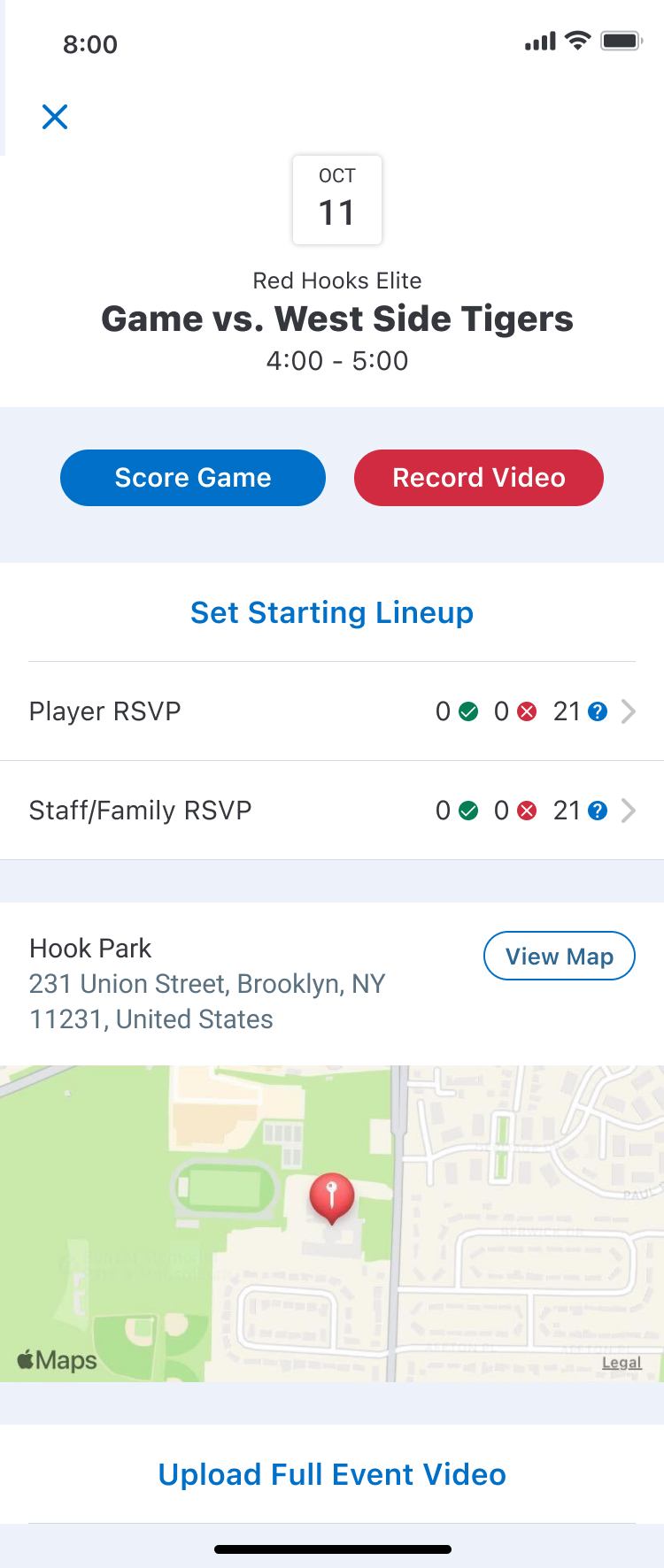
The game day hub where coaches tap "Record Video" to start the streaming setup. This is where the journey begins.
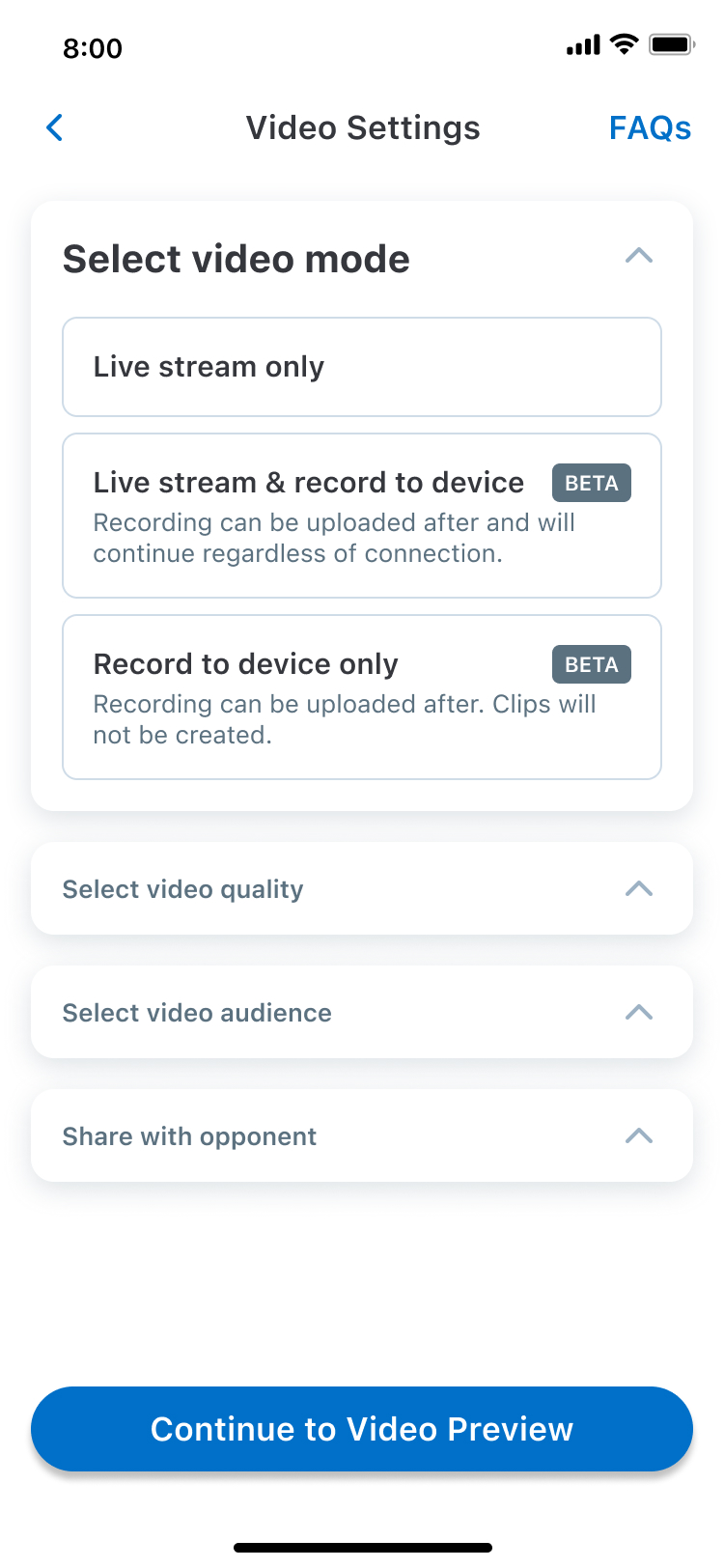
Three streaming modes: live stream only, live stream with local recording (beta), and record to device only. Each clearly explains the tradeoffs.
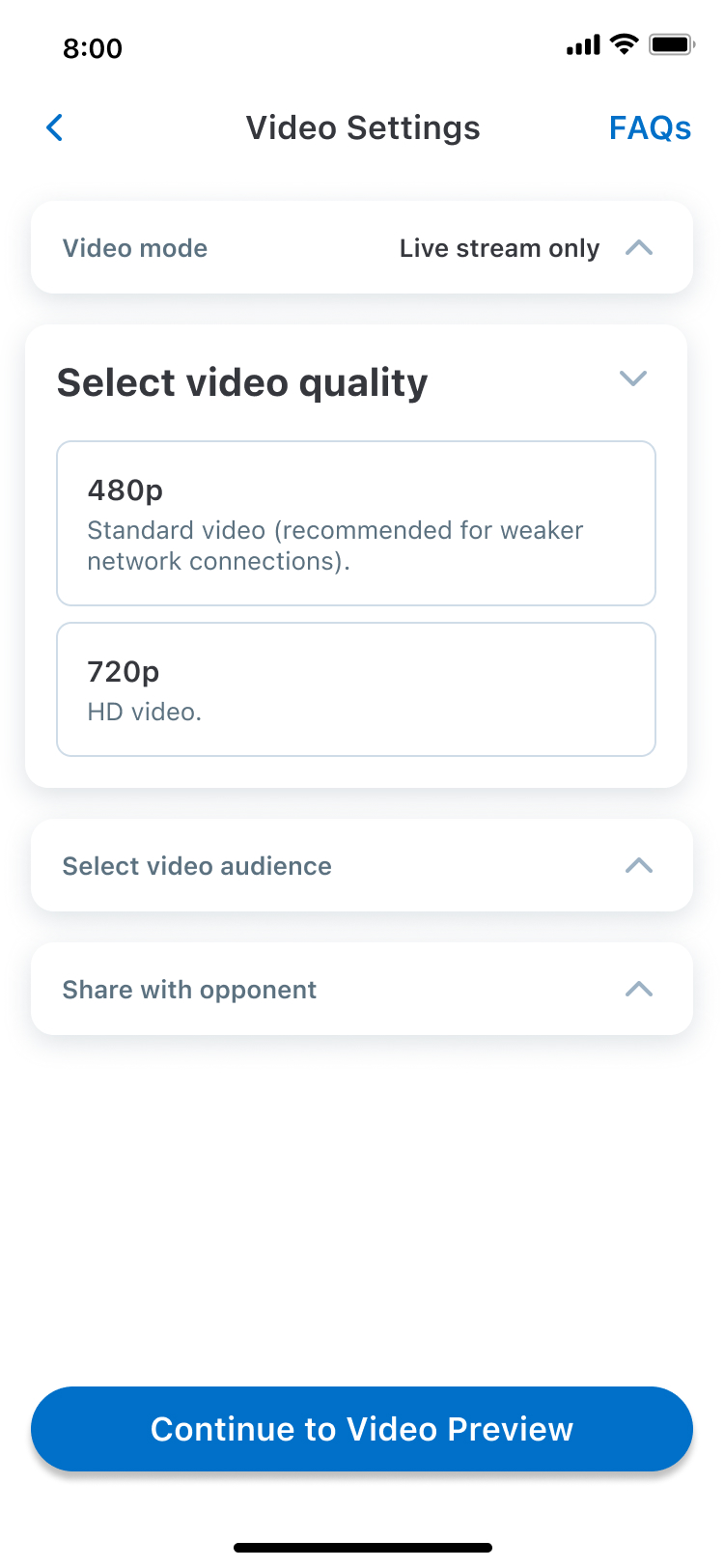
480p for weaker connections, 720p for HD. Simple choice with context so coaches pick the right option for their field's connectivity.
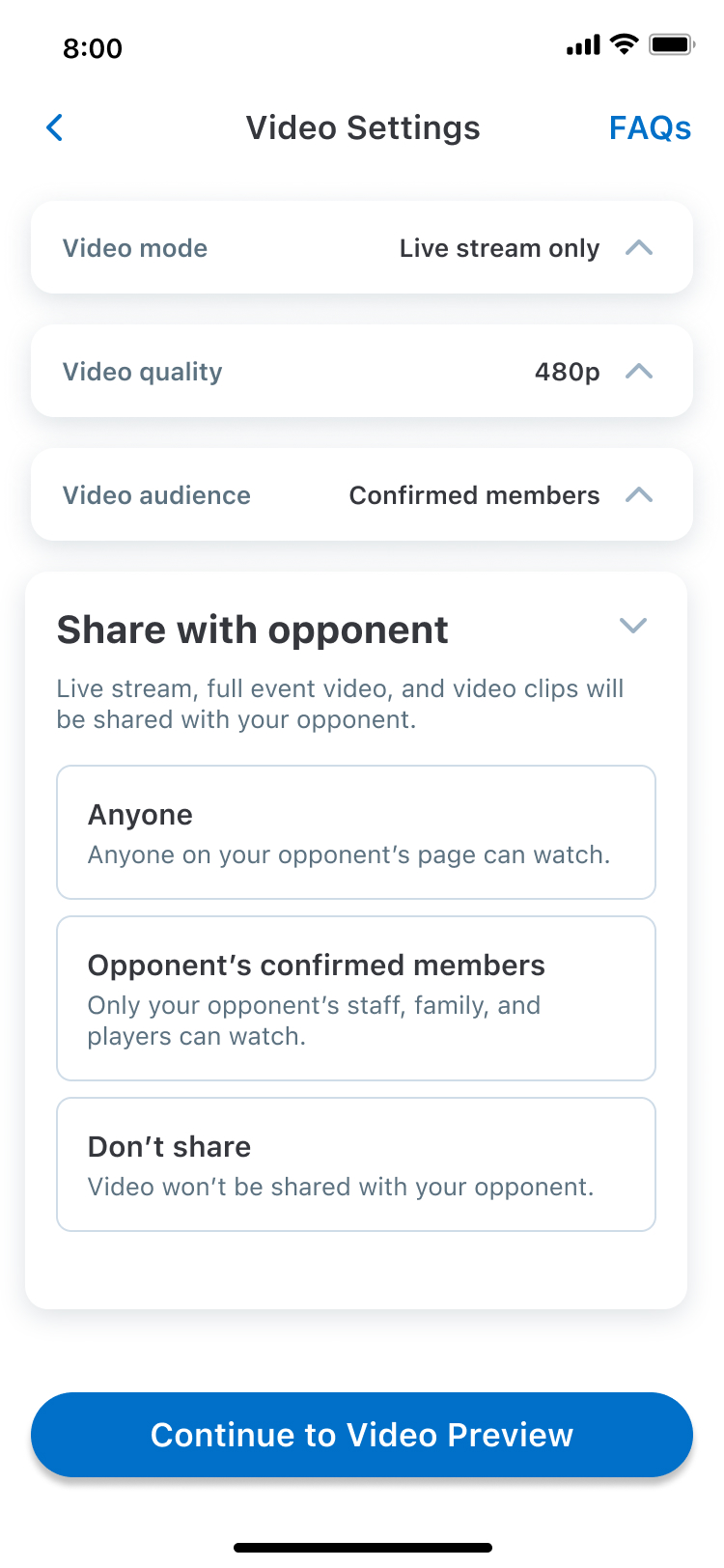
The core feature: three sharing tiers let coaches decide exactly how much access the opposing team gets -- from open to locked down.
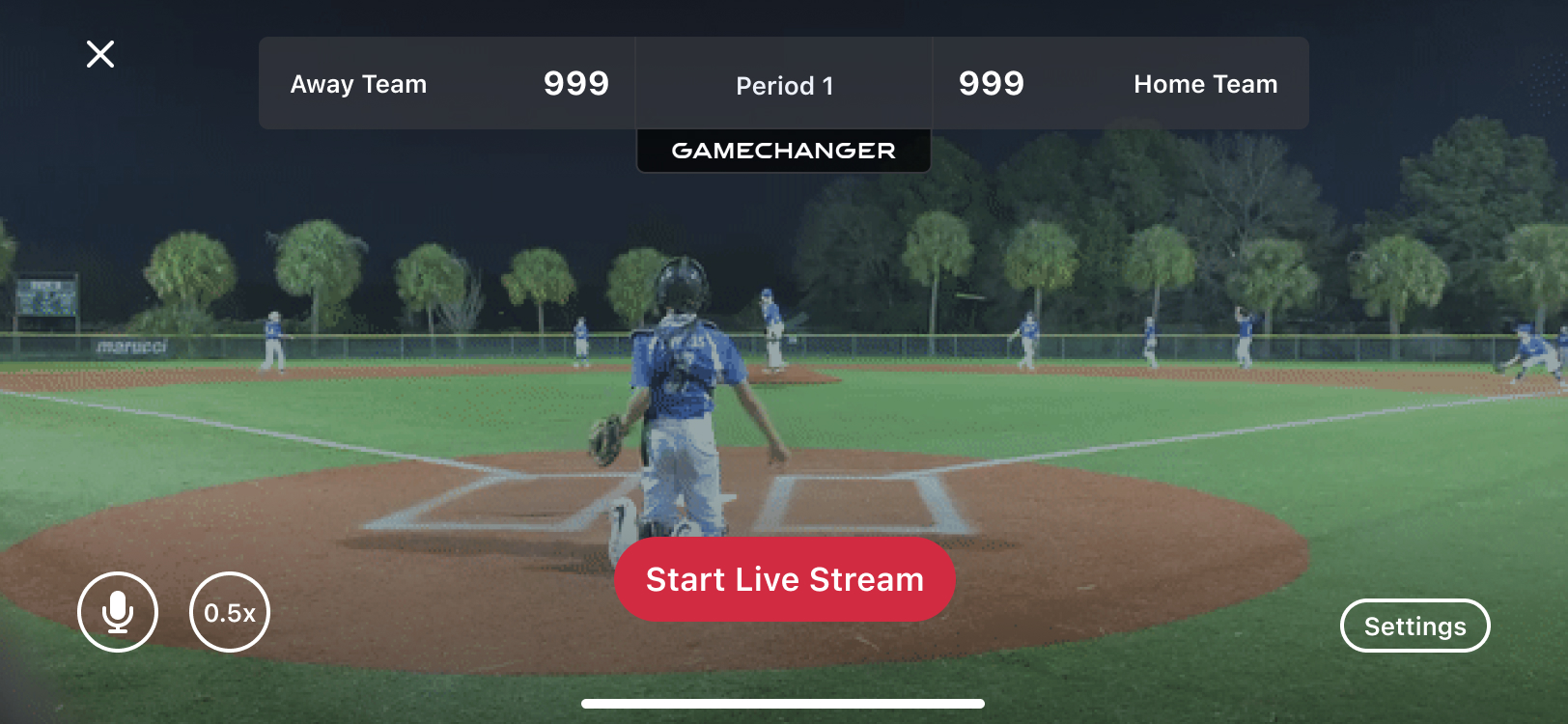
All four settings visible at a glance in collapsed state. Coaches can review and adjust before hitting "Continue to Video Preview."
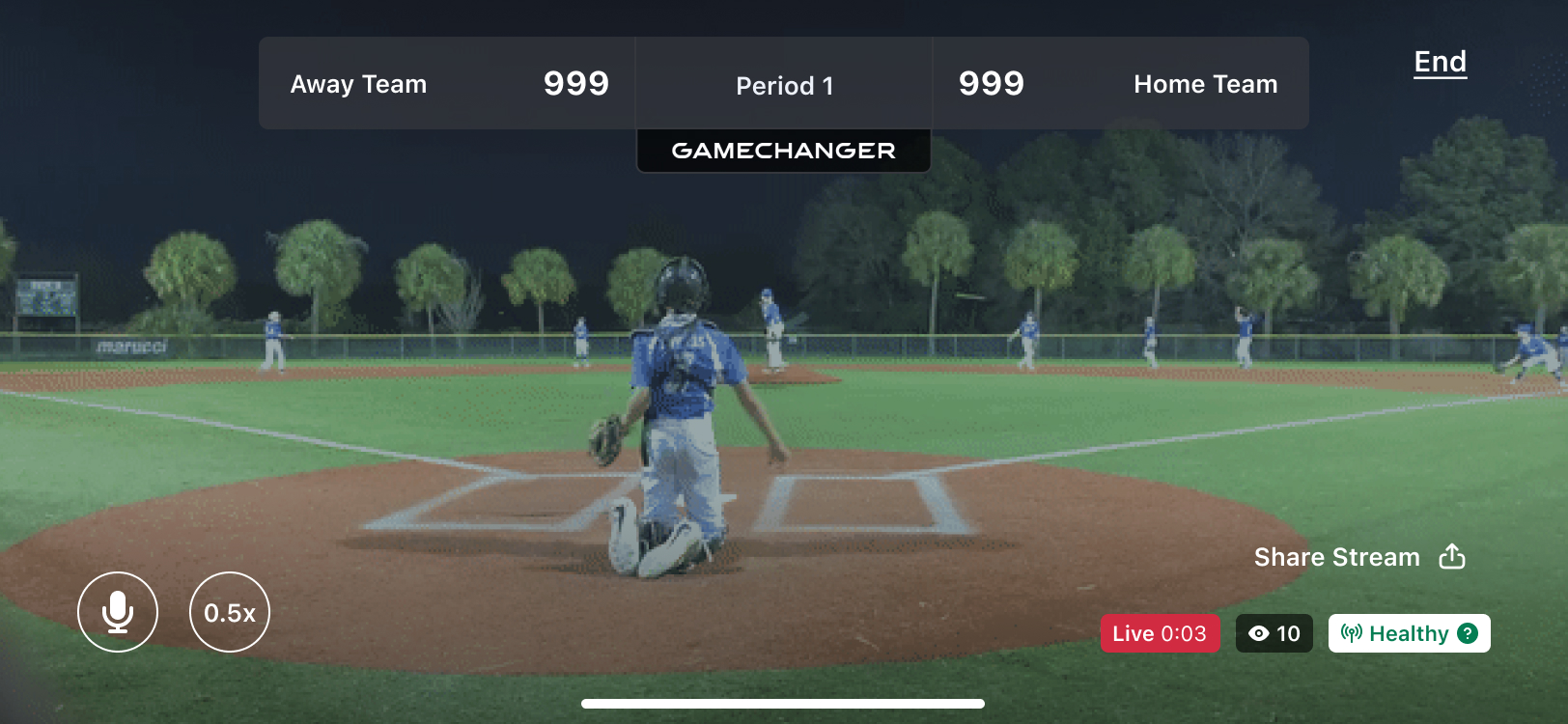
The live view with scoreboard overlay, viewer count, and stream health indicator. "Share Stream" button gives instant access to share the link.
Control reduces friction. Coaches were willing to share -- they just needed to feel in control of who sees their video. Three clear permission tiers removed the fear that comes with sharing.
Integrate, don't add. Instead of creating a separate sharing flow, we added "Share with opponent" as one more setting in the existing video setup. It felt natural because it lived where coaches already were.
Timing matters in UX. Game day is stressful. Every design decision was filtered through the question: "Would a coach rushing to set up before the first pitch understand this in 3 seconds?"
Data makes the case. 1.5M unstreamed games and 100% survey interest made this an easy feature to prioritize. Sometimes the best design work starts with finding the right number.
I'll turn it into a tested prototype in 5 days.
Book a Free Call →